What is the best vidIQ YouTube SEO workflow? Use vidIQ for the half it is genuinely good at, finding demand and reading competitors, then stop at the tag box. YouTube's own documentation ranks videos on "How well the title, description, and video content match the viewer's search", and says tags are "Not important". A vidIQ YouTube SEO workflow that spends an hour on tags and ten minutes on the script has the ratio exactly backwards.
vidIQ is the most installed YouTube research tool there is, and most of the advice about it is written by people selling a competitor. This is neither. It is the handoff we actually recommend to creators who already pay for it.
What YouTube says ranks a video
Start here, because the rest of the workflow follows from it. YouTube's search and discovery page states that videos are ranked on "How well the title, description, and video content match the viewer's search", and on which videos drive the most engagement for that search.
The same page addresses tags directly. They are "Not important", and exist mainly to correct common spelling mistakes.
Three inputs, then. Title. Description. The video itself. Everything in this vidiq youtube seo workflow is arranged around those three and nothing else.
Notice which of the three is the largest. "Video content" is not a metadata field you fill in at upload. It is the script, the structure, and whether the thing you promised in the title is actually in the video. That is the part no research tool touches.
Where vidIQ genuinely earns its place
Four things, and they are all upstream of the camera:
Keyword research with volume and competition. The core reason to open it. Knowing that a topic has demand before you spend three days on it is real information, even as an estimate.
Competitor reading through the extension. Views per hour overlaid on other people's videos while you browse YouTube normally. This is passive rather than a chore, which is why it is the feature people actually keep using.
Daily Ideas. Suggestions generated against your channel's own history rather than a generic trending list.
AI Coach. A chat interface that will audit a channel and answer strategy questions, useful mostly as a second opinion on decisions you have already half made.
None of that is a script, a structure, or a video. It is a brief.
The credit math, honestly
This is the part that decides how you use the tool, and it is documented in vidIQ's own features and credits help article.
vidIQ gives every plan a shared monthly pool of AI credits: 150 on Free, 1,000 on Pro, 2,000 to 3,000 on Boost, and 6,000 to 10,000 on Max, varying by how many channels you connect. Credits are shared across every AI tool, so spending them in one place removes them from another. The article is explicit that unused credits do not roll over.
The individual prices matter more than the totals. AI Coach costs 10 credits a message for normal use. A thumbnail generation costs 22 credits. Script writing costs 1 credit per minute of script.
Run that against the free tier. 150 credits is fifteen coach messages, or six thumbnails, or one 10 minute script plus a bit of change. It is a demonstration, not a workflow. Current plan pricing is on vidIQ's plans page, and it changes often enough that any table including this one goes stale.
The practical reading: spend vidIQ credits on the thing only vidIQ can do, which is research against live channel data. Spending them on script minutes is buying the cheapest commodity in the stack with the most constrained currency you own.
The six step vidIQ YouTube SEO workflow
Step 1: Find the demand, and only the demand
In vidIQ, research the topic. Take three things out: the phrase people actually search, the competition estimate, and the two or three related phrases worth covering inside the video.
Take nothing else. Not the tag suggestions, not the SEO score, not the recommended description template.
Step 2: Check the result page yourself
Search the phrase on YouTube, signed out. If the first five results are five years old and have 40,000 views, that is an opportunity. If they are from channels a hundred times your size and posted last week, it is a wall.
Estimated volume tells you nobody is asking. It does not tell you whether the answer is already given better. Two minutes here saves the three days that step 1 is trying to protect.
Step 3: Hand the keyword to the script, not to the tag box
This is the actual handoff and the reason this vidiq youtube seo workflow exists.
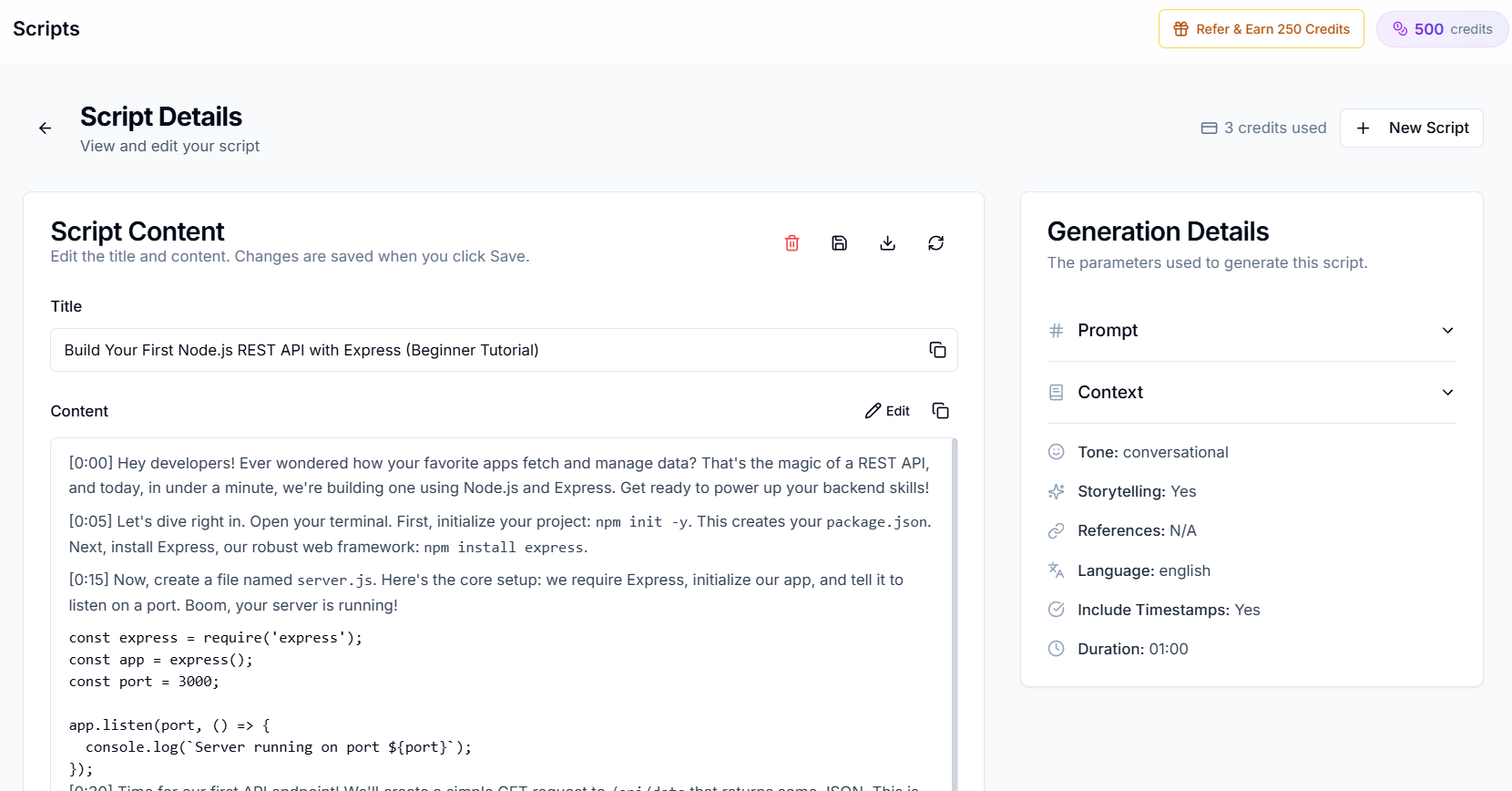
Paste the phrase and the related terms into Creator AI as the topic. The script is generated through a voice profile trained on videos you have already published, so the terms land in sentences you would plausibly say rather than in a paragraph that reads like it was written for a crawler.
Enable timestamps. The result is both a shooting plan and, later, the spine of your description.
Step 4: Structure it so the promise is kept
Run the topic through the story builder before writing the final draft. You get a beat by beat outline with hooks, escalation points and a retention score.
This step exists because of the word "engagement" in YouTube's ranking sentence. A video that ranks and then loses everyone at 0:40 is a ranking that expires. What actually holds attention is covered in improving YouTube audience retention.
Step 5: Write the title and description once, from the script
Title: the researched phrase, in language a human would use, with the specific promise the video keeps. Not the phrase repeated twice.
Description: the first two lines carry the phrase and the promise, because that is all most viewers see. Below that, put the timestamps your script already produced. Chapters are useful to viewers and give the description real, structured text about the video.
Step 6: Caption it, so the third input is legible
"Video content" is one of the three ranking inputs, and a caption track is the most direct machine readable version of it that exists.
Generate the subtitles, correct the names, brands and numbers in the editor, and upload the SRT. YouTube's captions documentation notes that subtitles let you reach a larger audience including viewers who speak another language. If you are unsure which file to hand it, see SRT vs VTT explained.
Automatic captions are not a substitute here. They are reliably wrong on exactly the words your niche is built from, which is covered in why auto caption errors are expensive.
The tag box, and why it still exists
Fill it in with three obvious terms and close it.
Tags are not nothing. YouTube says they help correct for misspellings, which genuinely matters if your channel name or your niche has a commonly mistyped word in it. That is the whole of their job. Ten minutes of tag optimisation is ten minutes not spent on the opening thirty seconds, and only one of those two things is in the ranking sentence.
This is the single most common way a vidiq youtube seo workflow goes wrong: the tool surfaces a tag interface, an interface implies importance, and the creator optimises the field the platform explicitly deprioritised.
Where the two tools overlap, and which to use
vidIQ writes scripts and generates thumbnails, so the overlap is real. Being fair about it:
| vidIQ | Creator AI | |
|---|---|---|
| Keyword volume and competition | Yes | No |
| Competitor views per hour on YouTube | Yes, via the extension | No |
| Ideas from your channel history | Yes, Daily Ideas | Yes, with opportunity scores |
| Script writing | Yes, 1 credit per script minute | Yes, trained on your own videos |
| Story structure with a retention score | No | Yes |
| Thumbnails | Yes, 22 credits each | Yes, up to 5 variants per run |
| Subtitle file you can correct and export | No | Yes |
| Dubbing in your own voice | No | Yes, 94 languages |
Use vidIQ for the two rows only it has. Use the script and structure rows where they are the product rather than a credit line item. If you want that comparison drawn properly rather than as a table, we wrote Creator AI vs vidIQ, and if you are questioning the subscription entirely, the vidIQ alternatives roundup.
What neither tool can do for you
Neither one makes the video good.
vidIQ can prove a thousand people a month want this topic. Creator AI can write it in your voice and structure it so it holds. Between those two facts sits a person who has to say it convincingly on camera, and no part of this vidiq youtube seo workflow removes that.
What it does remove is the illusion that the ranking problem lives in the metadata panel. It lives in the first thirty seconds. If you want the version of this argument aimed at channels under a thousand subscribers, it is in what the YouTube algorithm actually rewards.
You can test the handoff without an account. The free YouTube script generator turns one researched phrase into a complete script in about a minute. Run it on the last keyword vidIQ gave you and compare it to what you would have written in the tag box.
Keep Reading
- Creator AI vs vidIQ for YouTube Creators
- The Best vidIQ Alternatives for YouTube Creators
- What the YouTube Algorithm Rewards for Small Channels
- Creator AI + ChatGPT: A Two Tool Workflow for Video Ideas
- Research it once, then write it properly. Start free or see plans.