Can Creator AI replace Canva? For thumbnails, often yes. For everything else Canva does, no. Canva is a general design tool that happens to make thumbnails; Creator AI is a YouTube tool that generates thumbnails from your script and your channel's style. The real Creator AI vs Canva question is not which one designs better, it is whether you want to design at all.
Canva is on almost every creator's toolbar, and for good reason. It is the reason people who cannot design can still ship something that looks intentional.
So when creators ask about Creator AI vs Canva, they are usually not asking which is the better product. They are asking whether they can stop opening a design tool at 1am to fight with text layers.
Creator AI vs Canva: two different jobs
Canva is a manual design tool with AI features bolted on. You get a canvas, layers, fonts, a template library, and total control. The output is exactly what you assembled, which is both the strength and the cost: it is only as good as the twenty minutes you spent on it.
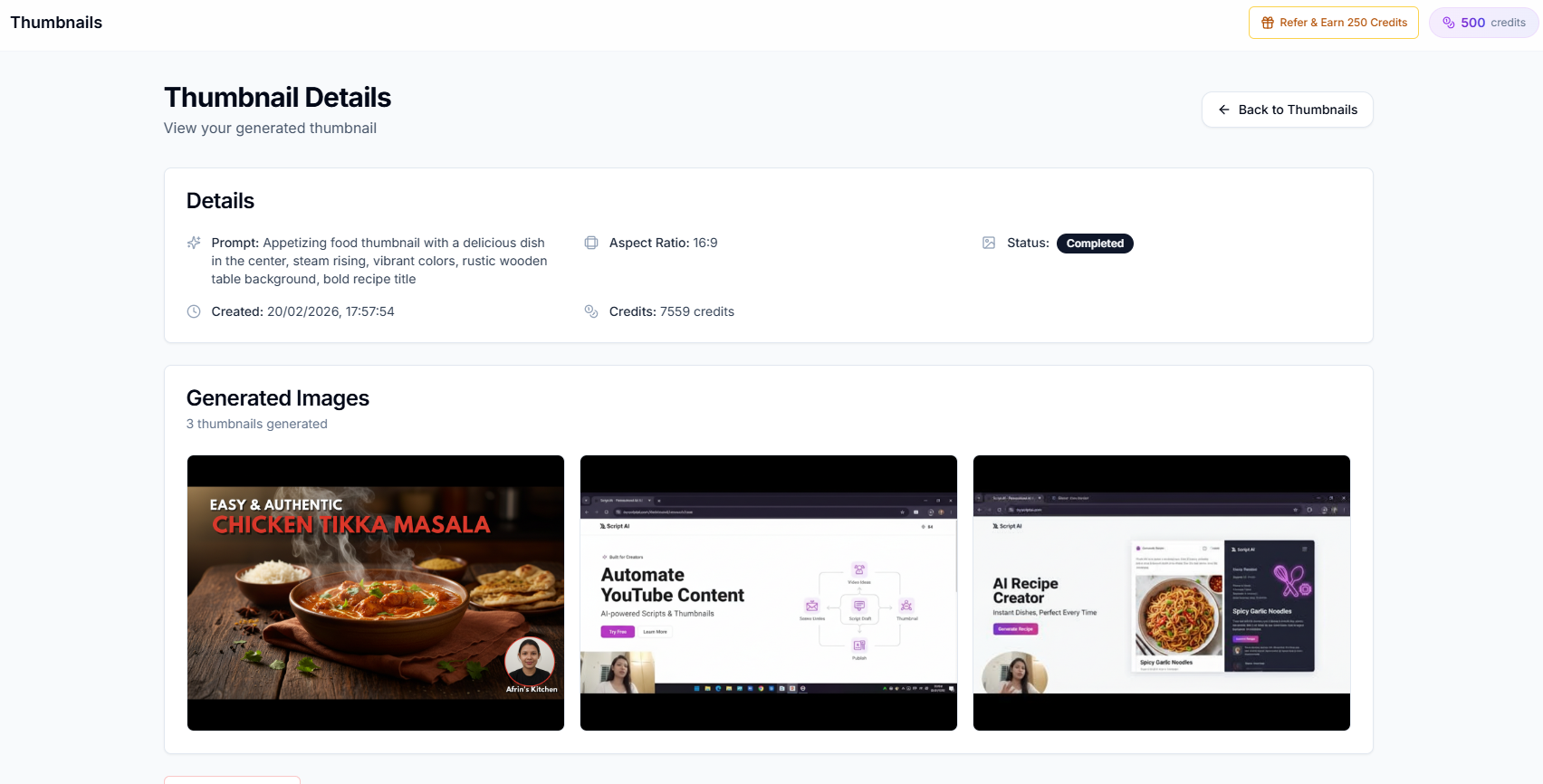
Creator AI is a YouTube production tool where thumbnails are one output of a pipeline. You describe the thumbnail, upload a frame from your video, or hand it reference images, and it generates. There is no canvas and there are no layers.
| Creator AI | Canva | |
|---|---|---|
| Thumbnail approach | Generative, from a prompt or frame | Manual, template plus editor |
| Time per thumbnail | Under a minute | Ten to thirty minutes |
| Pixel level control | No | Yes, complete |
| Brand kit and exact fonts | No | Yes |
| Writes your script | Yes, in your trained voice | No |
| Video ideas and trends | Yes | No |
| Subtitles and dubbing | Yes | No |
| Non YouTube design work | No | Yes, everything |
| Free tier | 500 credits per month, no card | Generous, watermark free |
Where Canva genuinely wins
Precision. When the thumbnail has to be exact, a specific logo placement, a sponsor's brand colours, text that must not be paraphrased, you need layers. Generative tools approximate. Canva does not.
Brand consistency. Brand kits, saved palettes, locked fonts, and reusable templates keep a channel visually coherent across a hundred uploads. Creator AI has no equivalent, and for a channel whose look is part of its identity, that is a real gap.
Everything that is not a thumbnail. Channel banners, end screens, community posts, lower thirds, a media kit for sponsors, merch mockups. Canva does all of it. Creator AI does none of it.
It is free and genuinely good. Canva's free tier is not a trial. Most creators never pay for it.
Where Creator AI wins
Speed, by an order of magnitude. A thumbnail in under a minute versus twenty. Over a year of weekly uploads that is most of a working week returned to you.
It knows what the video is about. This is the part a general design tool structurally cannot do. Creator AI generated the script, so it already knows the hook, the topic, and the promise. The thumbnail comes out of the same context instead of you translating the video into a design brief in your head.
The rest of the video. Comparing Creator AI vs Canva purely on thumbnails undersells the difference, because the thumbnail is one feature. Creator AI also writes the script in your voice, generates the ideas, structures the story, produces the subtitles, and dubs the finished video. Canva does one of those, and only for the graphic.
No design skill required. Canva lowered the floor. It did not remove it. You still need taste, and taste at 1am after editing for four hours is not most people's strong suit.
The thumbnail question, honestly
Thumbnails carry more weight than almost anything else you make. YouTube's own Creator Academy puts packaging, the title and thumbnail together, at the centre of whether a video gets a chance at all.
So the honest position is this: for a video where the thumbnail is the whole bet, a sponsored upload, a video you expect to carry the channel, open Canva and take the twenty minutes. Control wins when the stakes are high.
For the other forty five videos a year, generative is the right trade. A good thumbnail today beats a great one you were too tired to make. We went deeper on what actually moves click through rate in YouTube thumbnail mistakes killing your CTR.
Cost
Canva Free covers most creators forever. Canva Pro adds brand kits and background removal for a modest monthly fee.
Creator AI's free Starter plan is 500 credits a month, no card, every feature unlocked. Thumbnails draw from the same credit pool as scripts and everything else, so heavy thumbnail months compete with heavy scripting months.
Realistically, the Creator AI vs Canva decision is not a budget decision. Both have usable free tiers, and most creators end up on both.
Do not actually choose
The most common outcome, and the one we would recommend, is using them together in a fixed order.
Creator AI writes the script and generates three or four thumbnail candidates from the video's actual content. You pick the strongest one. If it needs a logo, a sponsor lockup, or exact brand type, it goes into Canva for five minutes of finishing rather than thirty minutes of building from an empty canvas.
That sequence removes the blank canvas, which is the expensive part, and keeps the precision, which is the part Canva is genuinely best at. We documented the full version of this in our Creator AI plus Canva thumbnail workflow, which walks through the handoff step by step.
Try the writing half first
If you are weighing Creator AI vs Canva, there is a decent chance thumbnails are not actually your bottleneck. Most creators who feel stuck are stuck earlier, on what to make and how to say it.
You can check that for free and without an account. The free YouTube script generator writes a complete script from a single sentence, and the free video ideas generator turns a niche into a full concept. If either one solves a problem you have been carrying for months, the thumbnail was never the issue.