Is Creator AI a replacement for VEED? No, and anyone telling you otherwise is selling something. VEED is a browser based video editor: you bring finished footage and cut, caption, and polish it. Creator AI works before the camera is on, turning your channel's own voice into ideas, scripts, thumbnails, and subtitles. Almost everyone who seriously compares Creator AI vs VEED ends up keeping both, because they own opposite halves of the same workflow.
There is a specific moment this comparison usually happens. You signed up for VEED to add captions to a video, noticed it also has an AI script feature tucked into the sidebar, and wondered whether you can stop paying for anything else.
You probably cannot, and it is worth understanding why before you cancel the wrong subscription.
Creator AI vs VEED: what each one is actually for
VEED is post production. Its centre of gravity is the timeline: trimming, subtitles, background removal, brand kits, and a genuinely good browser editor that does not need a download. Everything else it offers orbits that editor.
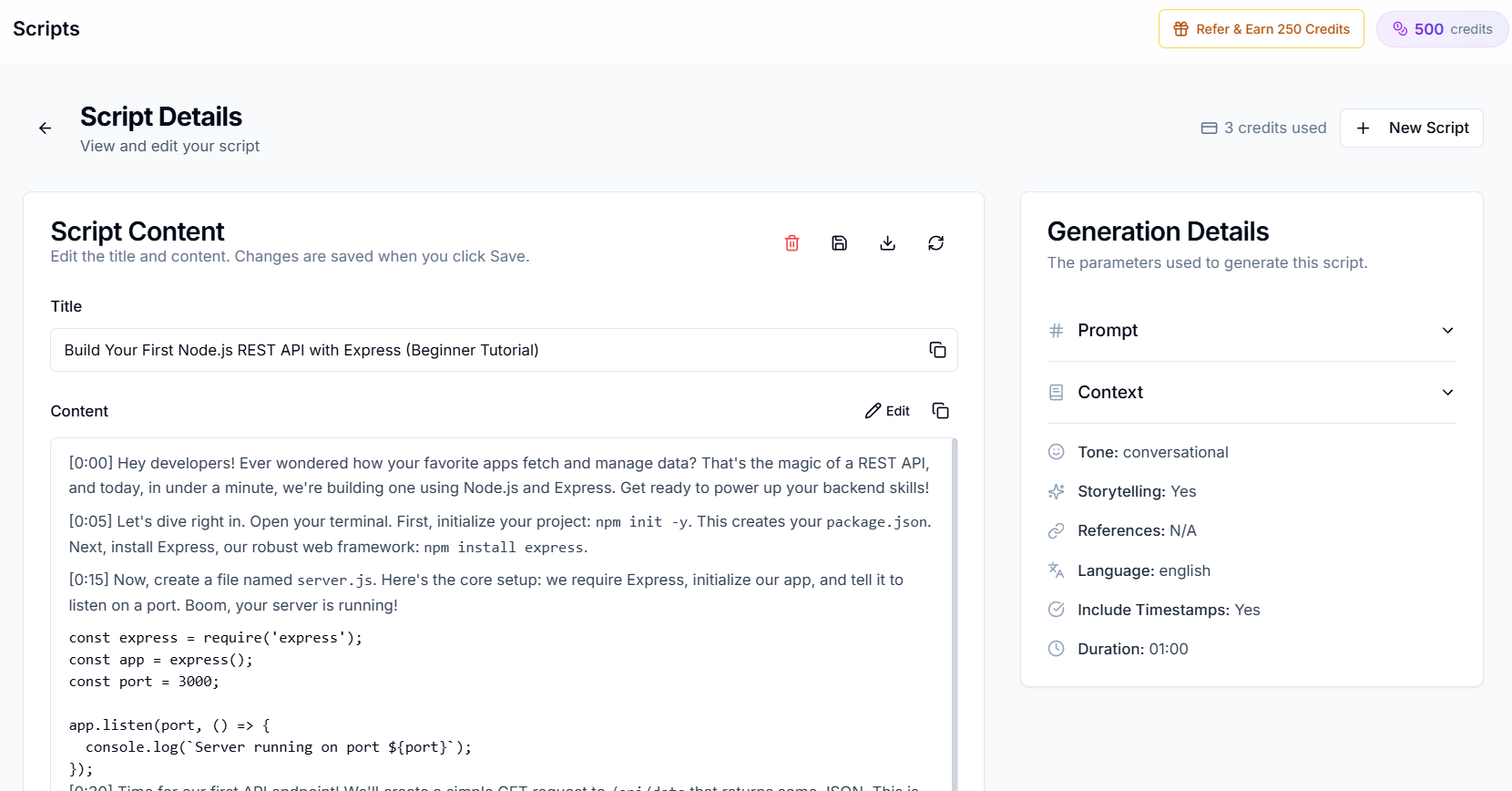
Creator AI is pre production. Its centre of gravity is your voice: it reads videos you have already published, builds a style profile from your tone, pacing, vocabulary, and structure, then writes against that profile. Everything it offers orbits that profile.
That is the whole Creator AI vs VEED story in two sentences. One tool starts when the footage exists. The other one stops when the footage exists.
| Creator AI | VEED | |
|---|---|---|
| Primary job | Writing and planning the video | Editing and captioning the video |
| Learns your voice from your channel | Yes, via AI Studio | No |
| Full script generation | Yes, in your trained voice | Yes, generic |
| Video editing timeline | No | Yes |
| Subtitles | Yes, generated and exported | Yes, styled and burned in |
| Thumbnails | Yes, AI generated | Via the graphic editor |
| Trend based video ideation | Yes | No |
| Dubbing | Yes, in your own voice | Yes |
| Free tier | 500 credits per month, no card | Watermarked exports, minute caps |
Where VEED genuinely wins
The editor. If you need to cut footage in a browser, VEED is better than anything Creator AI offers, because Creator AI offers nothing there. No timeline, no trimming, no transitions.
Styled, animated captions. VEED's word by word animated captions are a real format advantage for short form. Creator AI generates accurate subtitle files and exports them as SRT or VTT, which is what you want for long form and for YouTube's own caption track, but it is not going to burn karaoke captions onto a Short for you.
Everything in one browser tab. For a creator whose entire process is "upload clip, caption it, export", adding a second tool is friction with no payoff.
Stock assets and brand kits. VEED bundles a media library and brand controls that Creator AI has no equivalent for.
Where Creator AI wins
It sounds like you. This is the only difference that really matters in a Creator AI vs VEED comparison, and it is not close. VEED's AI writing is a general purpose model with a video flavoured prompt. Creator AI connects to your YouTube channel, analyses videos you pick, and builds a persistent style profile. Every script after that is generated against your actual patterns instead of the internet's average.
It solves the blank page, not the blank timeline. VEED assumes you already know what the video is. Creator AI's ideation runs live trend analysis in your niche, filters out saturated topics, scores each idea for opportunity, and runs a differentiation pass so nothing overlaps with what you have already published. There is no equivalent in VEED.
Structure before you film. The story builder produces a blueprint with hooks, escalation points, and a retention score, so a weak video gets caught at the outline stage rather than in the edit.
Dubbing in your own voice. Both tools dub. Creator AI clones your voice for it, so the Spanish version still sounds like your channel.
It is open source. Creator AI is MIT licensed with the full source public, so it can be self hosted. For anyone with data residency requirements, that is the entire decision.
Pricing, honestly
VEED prices on editing: their plans are tiered by export quality, watermarks, and separately metered subtitle and AI minutes. The free tier watermarks your exports, which for most creators makes it a trial rather than a plan.
Creator AI prices on credits. The free Starter plan is 500 credits a month with no card, and every feature is unlocked on it. The limit is volume, not capability, and nothing you export carries a watermark.
Neither is expensive. If you are running both, you are looking at roughly the cost of one lunch a month for a workflow that covers ideation through to a captioned export.
Which one to buy first
Every Creator AI vs VEED thread eventually lands on this question, and the answer depends entirely on where your week actually goes.
Buy VEED first if your bottleneck is the edit. You know what to make, you say it fine on camera, and what eats your evening is cutting and captioning.
Buy Creator AI first if your bottleneck is upstream of the camera. You open a blank doc and nothing comes out, or what comes out reads like a press release. That is a writing problem, and no editor fixes writing.
If your bottleneck is "I do not publish enough", it is almost always upstream. Editing is the visible work, but the days you skipped were the ones where you never decided what to make.
You can test that claim in about a minute without signing up for anything: our free YouTube script generator writes a complete script from one sentence, and the free video ideas generator turns a niche into a full concept with a hook and talking points. If either one unblocks you, you found your bottleneck.
Using both together
The workflow that actually works looks like this.
Creator AI handles ideation, the script, the story structure, and the thumbnail. You film. VEED handles the cut and the animated captions for the Short. Creator AI handles the subtitle file for the long form upload and the dubbed versions.
Nothing in that sequence is duplicated, which is the tell that these are complementary tools rather than competitors. We wrote up a similar pairing in detail in our Creator AI plus CapCut workflow, and the logic transfers directly.
The honest summary
If you came here hoping one tool replaces the other, the answer is no. Creator AI vs VEED is not a fight, it is a division of labour, and picking the wrong one first means solving a problem you did not have.
Fix the writing first if the writing is broken. Fix the edit first if the edit is broken. Most creators know which one it is, and quietly hope it is the edit, because the edit is the easier one to buy your way out of.