Open vs closed captions: which should YouTube creators use? Closed captions are a separate file (SRT or VTT) that viewers can switch on and off, and YouTube can read and auto-translate them. Open captions are burned into the video pixels and always visible. For long-form YouTube, upload closed captions. For Shorts, Reels and TikTok, where most people watch muted, burn in open captions, and ideally upload a closed caption file too.
Every creator who adds subtitles eventually hits the same fork. Do you upload a caption file, or do you burn the text into the video itself? The two look similar on screen, but they behave completely differently once the video is published.
This guide explains the open vs closed captions decision in plain terms: what each one is, where each one wins, and the hybrid setup most growing channels end up using.
What are open vs closed captions?
The W3C, which writes the web accessibility standards, defines the difference in its WCAG guidance on captions: closed captions can be turned on and off by the viewer, while open captions are always visible because they are part of the video image.
In practice:
- Closed captions (CC) live in a text file with timestamps, usually SRT or VTT. The player draws them on top of the video. The viewer controls them.
- Open captions are rendered into the video frames during export, often called "burned-in" or "hardcoded" subtitles. Nobody can turn them off, resize them, or translate them, because they are pixels, not text.
If you are unsure what an SRT or VTT file actually contains, our explainer on SRT vs VTT subtitle formats walks through both.
Open vs closed captions at a glance
| Closed captions | Open captions | |
|---|---|---|
| Viewer can turn off | Yes | No |
| Viewer can resize or restyle | Yes, in player settings | No |
| Readable by YouTube as text | Yes | Not reliably, they are image pixels |
| Auto-translation on YouTube | Yes | No |
| Looks the same everywhere | No, each player styles them | Yes, exactly as designed |
| Survives reposting to other apps | No, the file stays behind | Yes |
| Can fix a typo after publishing | Yes, edit the file | No, you must re-export and re-upload |
When closed captions win
Long-form YouTube videos
On a standard YouTube upload, closed captions are the stronger default. The viewer who wants them turns them on; the viewer who does not keeps a clean frame. Viewers can also change the size, colour and background of closed captions in YouTube's caption settings, which matters for people with low vision.
Reaching viewers in other languages
This is the biggest practical difference in the open vs closed captions choice. When a video has a caption track, viewers can use YouTube's auto-translate option to read it in their own language. Burned-in text cannot be translated at all. If you have an international audience, open captions quietly lock them out.
For a deeper look at the growth side, see how subtitles boost YouTube views and watch time.
Search and discoverability
A caption file gives YouTube a clean, accurate transcript of what you said. Burned-in text is part of the image, so you are relying on the platform to read pixels rather than handing it the words directly. YouTube also generates automatic captions, but they make mistakes on names, jargon and accents. Our guide to YouTube auto captions accuracy covers why uploading your own corrected file beats relying on them.
Fixing mistakes
Spot a typo in a closed caption file a week after publishing? Edit the file and re-upload it in YouTube Studio. The video, its views and its comments stay untouched. A typo in open captions is permanent unless you delete and re-upload the whole video.
When open captions win
Shorts, Reels and TikTok
Short-form feeds autoplay, and a large share of viewers scroll with the sound off. Open captions are visible from the first frame without the viewer doing anything, which is exactly when you need to hold them. They are also part of the style of short-form video: big, bold, word-by-word text is a retention device, not just an accessibility feature.
Cross-posting one file everywhere
If you export one vertical video and post it to YouTube Shorts, Instagram and TikTok, burned-in captions travel with it. Closed caption files do not; each platform would need its own upload, and some handle them poorly.
Brand control
Open captions look exactly as you designed them: your font, your colours, your position. Closed captions are drawn by each player in its own style, which you do not control.
The downsides nobody mentions
Open captions have real costs:
- They can block the frame. Burned-in text can collide with on-screen graphics, faces, or platform UI like the like and comment buttons on Shorts.
- They do not help every viewer equally. A viewer who needs larger text cannot enlarge them.
- They can double up. If you burn in captions and a viewer turns on YouTube's automatic captions, two sets of text stack on screen.
Closed captions have costs too. They depend on the viewer turning them on, and many casual viewers never do. On muted autoplay feeds, that means a closed-caption-only Short can look like a silent video.
The hybrid setup most channels should use
The open vs closed captions question rarely needs a single answer. Most growing channels do both, split by format:
- Long-form uploads: closed captions only. Upload a corrected SRT or VTT file.
- Shorts and vertical clips: burn in open captions for the muted scroll, and upload a closed caption file as well so YouTube still gets the text and can translate it.
- Keep the source file. Always export and store the SRT alongside the video. It is the input for burned-in captions, translations and dubbing later.
Accessibility-wise, the W3C guidance also notes that proper captions include more than dialogue: speaker changes and meaningful sounds like music or laughter. That applies to both types.
How to make both in Creator AI
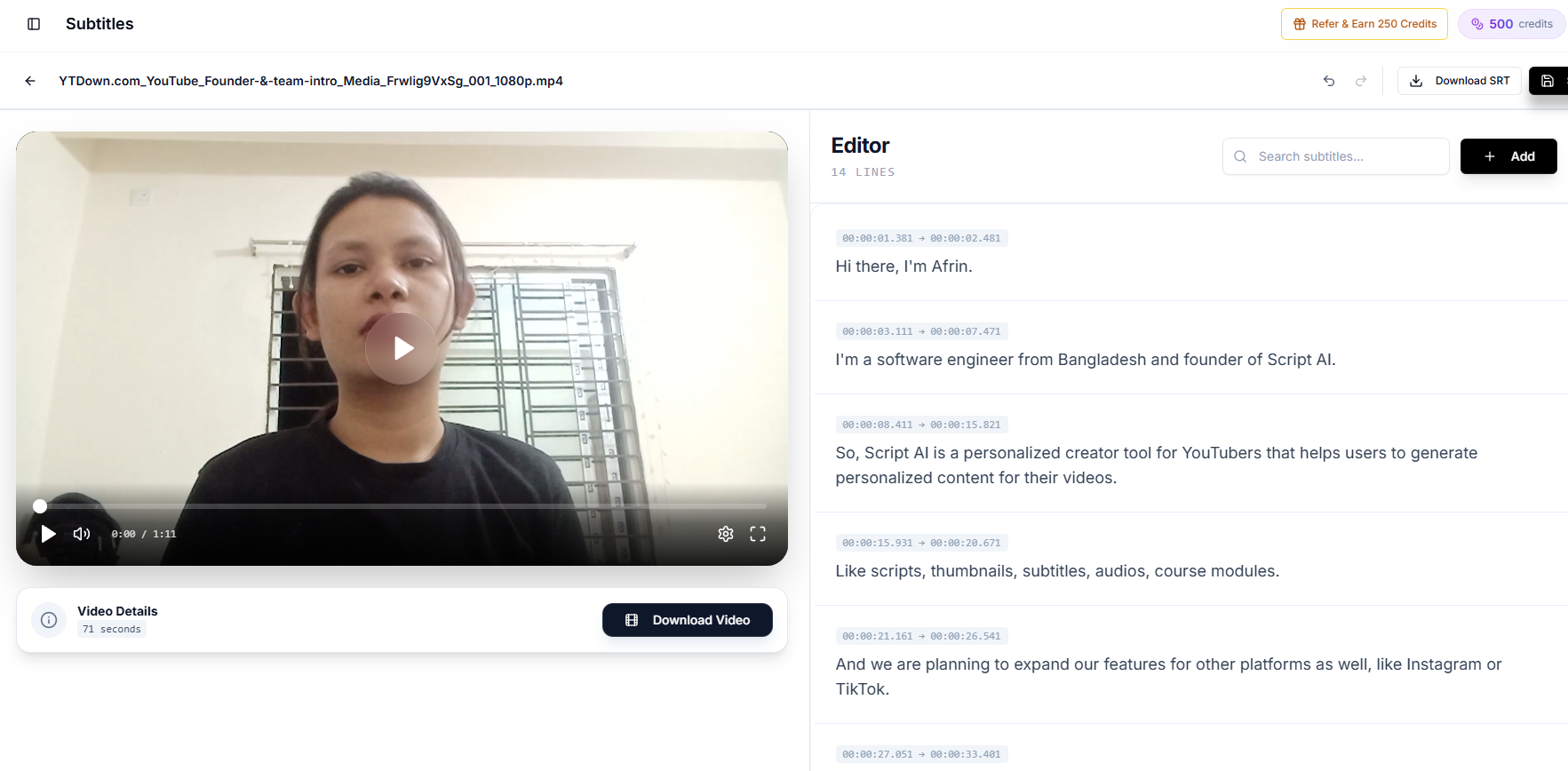
Creator AI's subtitle tool transcribes your video, lets you correct lines in an inline editor next to the video player, and style the text. From the same project you can export an SRT or VTT file for closed captions, or burn the styled subtitles directly into an MP4 for open captions. One transcript, both outputs, so you do not fix the same typo twice.
If transcription quality is your main concern, we tested tools side by side in our accurate AI subtitle generator comparison. And if you plan to go beyond subtitles into other languages entirely, see how to dub YouTube videos into multiple languages.
Conclusion
The open vs closed captions choice comes down to where the video will be watched. Closed captions win on YouTube long-form: they are toggleable, translatable, editable and readable as text. Open captions win on muted short-form feeds and anywhere you cross-post one file.
You do not have to pick one forever. Keep a clean caption file for every video, burn it in for Shorts, upload it as closed captions everywhere YouTube accepts one, and you get the benefits of both.